Stay Fueled.Stay You.
Guidance that Keeps Up With Your Day.
No more guessing, no more overthinking — just real‑time guidance to stay in the zone and hit your goals.


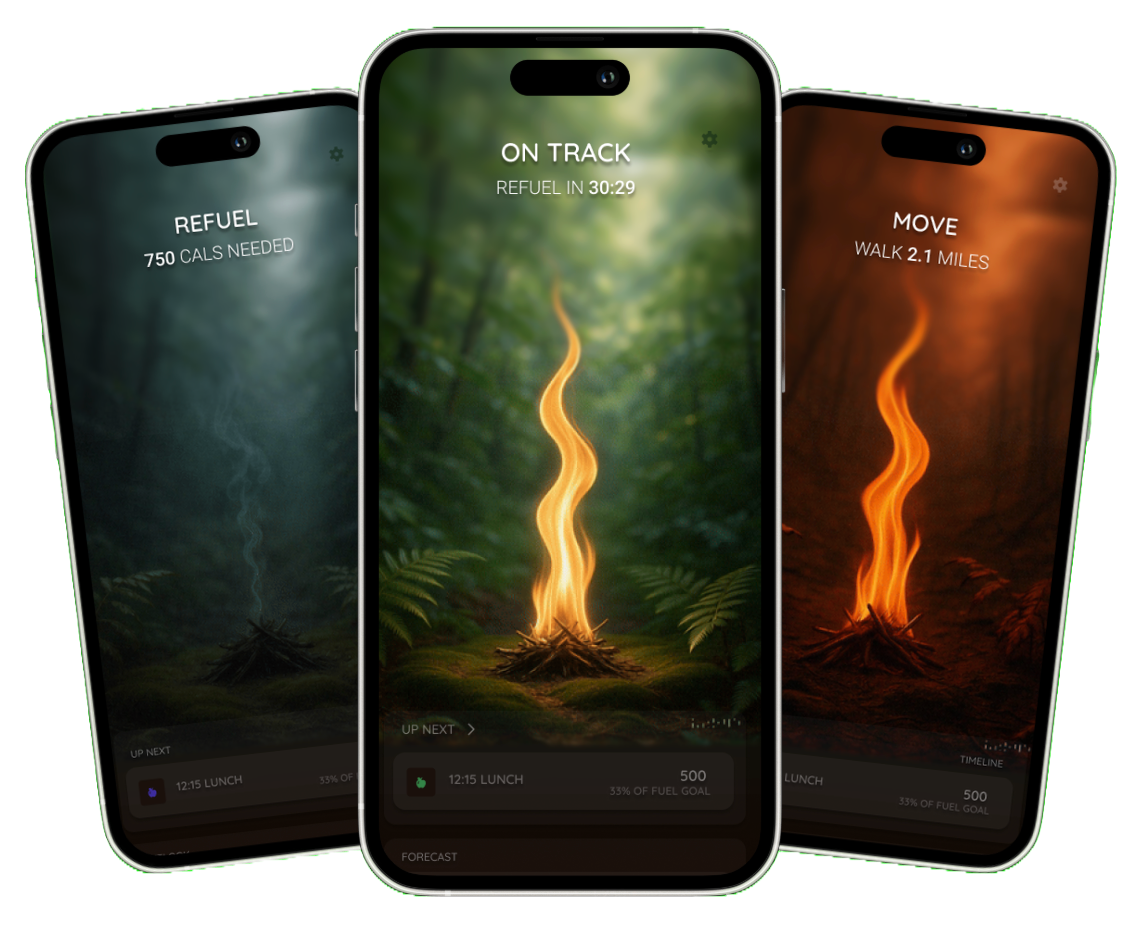
Make your data work for you
Our Philosophy.
WEIGHT LOSS
Calories In - Calories Out
Your body runs on energy. Food fills your tank; movement empties it. When you burn more than you eat, your body taps stored fuel (fat). Fuel helps you understand this balance—without obsession.
CALORIE BALANCE
The Hanger Trap
Low fuel shifts your brain from goal-focused to survival mode. Fuel keeps you ahead of that switch so you stay in control.
THE FUEL MINDSET
Fuel First, Not Willpower
Fuel turns your data into a simple next step, always telling you what to do next. No guilt, no guesswork, no more calorie math. Just steady balance and daily wins.
Frequently Asked Questions
Fuel reads any data that is written into Apple Health (iOS) or Health Connect (Android). If activity or nutrition data is missing, the third-party app may not be writing correctly.
iOS — Apple Health
- Open the Health app
- Tap your profile icon (top right)
- Go to Privacy → Apps
- Select the app that should be sending data (e.g., WHOOP, Strava, Cronometer)
- Ensure Write permissions are ON for the data types you want Fuel to read:
- Active Energy, Resting Energy
- Workouts
- Nutrition (Dietary Energy, Macros)
Android — Health Connect
- Open Health Connect
- Tap App permissions
- Select the app you want to sync
- Turn ON all relevant write permissions (activity, energy, steps, nutrition)
Fuel avoids double-counting by using data from the source with the highest priority during each time period. If a workout is missing, another app may be taking priority.
Fix on iOS
- Open Apple Health
- Search for Active Energy
- Scroll down → Data Sources & Access
- Tap Edit → drag apps into your preferred priority order
Example: If WHOOP is above Apple Watch, Fuel will use WHOOP for the workout and Apple Watch for the rest of the day.
Fix on Android
- Allow only the preferred app to write certain data types
- Turn off write access for apps that overwrite others
Fuel guides your eating based on:
- Your current energy burn
- Your logged food
- Expected burn for the rest of the day
- Your stomach’s natural capacity
- A fasting window
Max Meal Size
Fuel limits individual meals to about 6 hours of your average burn. This is based on what the stomach can comfortably process.
When your remaining calories exceed this limit, you enter a Refuel Window — Fuel’s signal that it’s time to eat before hunger builds up too strongly.
Intermittent Fasting Default
Fuel starts you with an 8-hour eating window to support metabolic stability.
Benefits include:
- Supporting natural insulin cycles
- Reducing late-night hunger
- Encouraging 2–3 structured, high-quality meals
- Improving appetite regulation
Yes — but accuracy is reduced.
Without a wearable, Fuel relies on:
- Phone motion data
- Logged exercises
- Estimated calorie burn formulas
Most users underreport burn by ~20 calories per hour, which adds up to ~360 calories per day over a typical 16-hour waking window.
Wearing a device significantly improves guidance precision.
- Open Fuel
- Go to Settings → Profile → Account Settings
- Tap Delete Account
Get in Touch
We'd love to hear from you.